
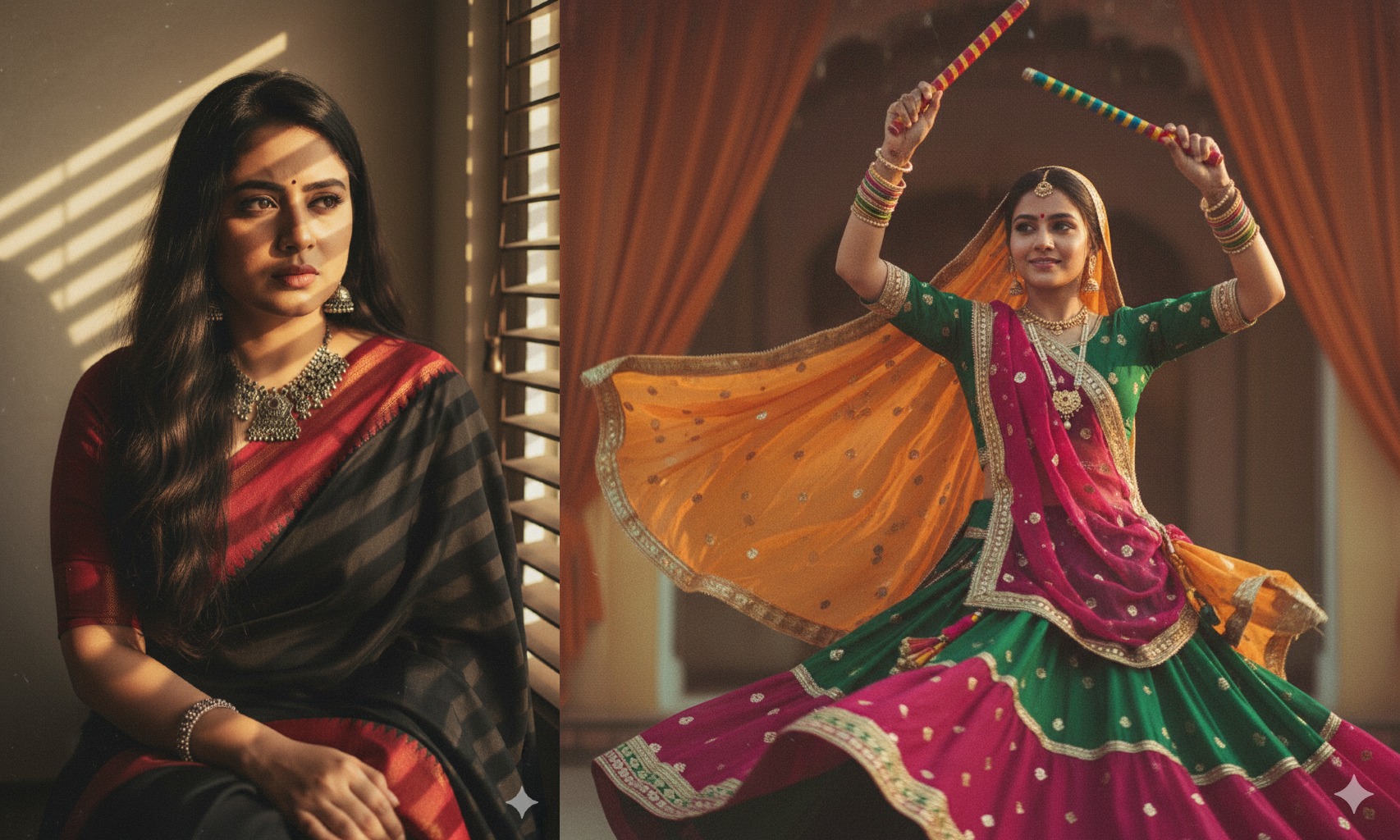
🎨 Forget Nano Banana! The Ultimate Guide to Vintage Retro-Style AI Portraits with Google Gemini
🌟 Introduction – Why Is Everyone Obsessed with Retro-Style AI Portraits?
What if you could time-travel—without leaving your couch? 🕰️ Imagine yourself in the glamorous ’40s, stylish ’50s, or dreamy ’70s. Well, that’s exactly what the internet is buzzing about right now: Vintage Retro-Style AI Portraits.
Scrolling through Instagram, you might’ve noticed feeds filled with sepia tones, Polaroid-style frames, and old-Hollywood vibes. After the world went crazy over Studio Ghibli portraits and quirky Nano Banana figurines, the trend shifted again—this time to classic retro photography, powered by Google Gemini’s AI magic.
And trust me—you don’t need to be a professional photographer or a time traveler to nail this trend. 📸
👉 After analyzing everything across the internet and gathering real-world insights, the Bhussan.com team put together this friendly, super-detailed guide so you can recreate timeless retro portraits that are Instagram-viral worthy.
But here’s the big question:
Do you want to spend hours scrolling the internet, hunting for prompts, or do you want the entire guide right here in one place?
If you chose the second option, let’s dive in! 🚀
📖 Section 1: The Rise of Vintage AI Portraits – From Nano Bananas to Nostalgia

Retro isn’t just fashion—it’s a feeling. Every few months, social media gets swept by a fresh AI craze. First, it was dreamy Studio Ghibli portraits 🎬. Then came the funny, collectible-style Nano Banana figurines 🍌—tiny 3D avatars that had everyone laughing and sharing.
But humans are nostalgic creatures. We crave the glamour of eras we never lived in. Cue: Vintage Retro Portraits. Suddenly, your Instagram feed feels like stepping into a time capsule—from smoky ’40s black-and-whites to colorful ’70s Polaroid love stories.
Why is it trending so hard?
-
Timeless aesthetics: Sepia tones, old-Hollywood lighting, and grainy textures feel magical.
-
Personal expression: Everyone wants to see themselves as a glamorous star from the past.
-
Viral potential: Retro portraits are instantly shareable and highly Instagrammable.
It’s more than just a trend—it’s nostalgia meeting technology. And Gemini makes it effortless.
🛠️ Section 2: How to Create Vintage Retro-Style Portraits with Google Gemini

So, how exactly do you make one? It’s surprisingly easy—no Photoshop degree required.
Step-by-Step Guide
-
Install & Open Google Gemini → Use the app or browser version.
-
Upload Your Photo → A clear selfie works best.
-
Enter a Prompt → This is where the magic happens (I’ll share 15 pro prompts below).
-
Generate & Download → Gemini will give you your retro-styled portrait in seconds.
💡 Pro Tip: Use natural selfies with neutral lighting for the best results. The AI thrives on clarity.
And don’t worry—you don’t have to invent prompts from scratch. I’ve collected 15 ready-to-use prompts for men, women, and couples that will give you perfect vintage portraits every time.
🎭 Section 3: 15 Vintage Retro Portrait Prompts That Always Work

Now for the fun part! These prompts are designed to mimic authentic retro photography styles.
👔 For Men
-
Film Noir Gentleman – 1940s black-and-white suspense style.
-
1950s Studio Star – Clean, glossy magazine look.
-
1970s Polaroid Cool – Denim, aviators, golden-hour vibes.
-
Old Hollywood Icon – Dramatic tuxedo studio shot.
-
Old-Money Editorial – Tweed blazer, library background.
💃 For Women
-
Hollywood Glamour Queen – Pearls, curls, smoky backdrop.
-
Dreamy 1970s Glow – Floral dress, lens flare, golden hues.
-
Monochrome Elegance – Satin gown, sharp Rembrandt lighting.
-
Vintage Saree Elegance – Indian film-star style.
-
Golden Hour Goddess – Outdoor cinematic vintage glow.
❤️ For Couples
-
Hollywood Love Story – Dancing under the spotlight, 1950s vibe.
-
1970s Café Romance – Warm café setting, candid vibes.
-
Cinematic Sepia Elegance – Satin & tuxedo studio shoot.
-
Pastel Road Trip Love – Leaning against a vintage car.
-
Noir Rain Romance – Umbrella, rainy cobblestone street.
👉 You can copy-paste these into Gemini, but feel free to tweak words like “lighting,” “texture,” or “background” to personalize your portraits.
⚖️ Section 4: Pros & Cons of Vintage Retro Portraits
| Pros ✅ | Cons ❌ |
|---|---|
| Timeless, aesthetic results | Can feel repetitive if overused |
| Viral potential on Instagram | Requires good selfies for best results |
| Easy with pre-written prompts | Some prompts may need tweaking |
| Nostalgia factor = instant charm | May not look “authentic” to professional photographers |
🧐 Section 5: Final Thoughts – Should You Try This Trend?
Let’s be real—who wouldn’t want to see themselves as a golden-era film star or a 1970s bohemian dreamer? The beauty of this trend is that it’s fun, easy, and personal. Unlike Nano Bananas (which were more playful), retro portraits let you express yourself in a timeless aesthetic.
If you’ve been scrolling through Instagram wondering, “Should I hop on this trend?” — the answer is a big YES.
Not only will your retro portraits make amazing posts, but they also double as unique profile pictures, story highlights, or even printed keepsakes.
👉 My advice? Start with one or two prompts, experiment with lighting styles, and then create your own custom retro vibe. Who knows—you might just go viral. 😉
❓ FAQ Section – Vintage Retro-Style AI Portraits with Google Gemini
General FAQs
1. What are Vintage Retro-Style AI Portraits?
They’re AI-generated portraits that recreate the look and feel of old photography styles—from the 1940s film noir to the 1970s Polaroid vibe. Basically, your selfie gets a timeless makeover.
2. Why are retro AI portraits trending on Instagram?
Because they’re nostalgic, stylish, and viral-friendly. Everyone loves a good throwback, and these portraits let people imagine themselves in eras they never lived in.
3. Do I need photography skills to make these portraits?
Not at all. Just upload a selfie to Google Gemini, type in a retro-style prompt, and the AI does all the hard work.
4. Are these portraits free to create?
Yes, Google Gemini has a free version. But if you want higher-resolution or faster results, a paid plan may be required.
5. Can I use photos other than selfies?
Yes, you can. But AI works best with clear, front-facing selfies where your face is visible. Group photos or side profiles may confuse it.
About Google Gemini & Process
6. How do I use Google Gemini to create retro portraits?
Install the Gemini app (or use it in your browser), log in with your Google account, upload your photo, and paste a retro-style prompt.
7. Do I need to write my own prompts?
You can, but you don’t have to. Pre-made prompts (like the 15 I shared above) work perfectly and save you time.
8. Can Gemini generate portraits in color and black-and-white?
Yes! Just include “black-and-white” or “sepia” in your prompt for monochrome looks. For color, use terms like “warm faded tones” or “pastel retro vibe.”
9. What makes prompts effective?
Details matter. Include:
-
Era (1940s, 1950s, 1970s)
-
Outfit/Style (tuxedo, floral dress, saree)
-
Lighting (golden hour, Rembrandt, butterfly lighting)
-
Texture (film grain, sepia tones)
10. Can I generate a couple of portraits with Gemini?
Yes! Just upload a photo of both people together and use a couple-specific prompt like “1950s Hollywood ballroom dance.”
Quality & Authenticity
11. How realistic do these portraits look?
Very realistic. With the right lighting and details in your prompt, the results can mimic vintage photographs almost perfectly.
12. Do the portraits always look like me?
Mostly, yes. But if your selfie is blurry or poorly lit, the AI may alter facial details slightly.
13. Can Gemini replicate actual vintage photography techniques?
It does a great job of simulating them—like film grain, lens flare, sepia tones, or monochrome contrasts.
14. Can professional photographers tell the difference?
Usually, yes, since AI lacks the subtle imperfections of real film. But for social media, most viewers can’t tell at all.
15. Do I need to edit the portraits after generating them?
Optional. Many people leave them as-is, but you can tweak brightness or add Polaroid-style borders in editing apps for extra flair.
Social Media & Sharing
16. Are vintage AI portraits Instagram-friendly?
Absolutely. They look great in carousels, story highlights, or as retro-styled reels.
17. Can I print my AI retro portraits?
Yes. High-resolution downloads work well for prints—perfect for room decor or gifts.
18. How do people usually use these portraits?
-
Instagram posts & reels
-
TikTok transformations
-
Profile pictures
-
Anniversary gifts
-
Aesthetic wall decor
19. Can these portraits go viral?
Yes! Trends like this thrive on Instagram and TikTok. Using hashtags like #VintageAI or #RetroPortraits increases visibility.
20. Should I credit Gemini when posting?
Not required, but it’s good practice to mention AI tools in captions if you want transparency.
Comparisons & Alternatives
21. How is this trend different from Nano Banana?
Nano Banana was quirky and cartoonish, while retro portraits are elegant, nostalgic, and cinematic. They feel more timeless.
22. Are there alternatives to Gemini for retro portraits?
Yes—MidJourney, Stable Diffusion, and Photoshop AI can also create retro-style edits. But Gemini is simpler for beginners.
23. Is Gemini better than MidJourney for portraits?
For casual, quick retro selfies, Gemini is easier. MidJourney offers more customization but requires Discord and more prompt skills.
24. Can I combine AI tools for better results?
Yes! Many users create a base portrait with Gemini and then refine it with Photoshop AI or Lightroom.
25. Will this trend last long?
Like all viral AI trends, it may fade, but retro aesthetics are evergreen. Even if the hype slows, people will still love vintage looks.
Privacy & Safety
26. Is it safe to upload my selfie to Gemini?
Yes, but always read privacy terms. Gemini processes images for AI generation but doesn’t publish them without your consent.
27. Can someone misuse my retro portrait?
Like any digital image, yes. Avoid uploading highly personal or sensitive selfies.
28. Do I own the rights to my AI-generated retro portraits?
Yes, in most cases. Google allows personal use, but check if you plan to use them commercially.
29. Is there an age restriction for using Gemini?
Yes, you must meet Google’s age requirements (usually 13+).
30. Can AI portraits replace real vintage photography?
Not fully. They’re fun and artistic, but true vintage photography has unique authenticity and historical value.
Advanced & Fun Questions
31. Can I make retro portraits with pets?
Yes! Upload a clear pet photo and try prompts like “1970s Polaroid portrait of a cat sitting on a retro armchair.”
32. What if I want a futuristic + retro hybrid style?
Easy! Just combine keywords: “Cyberpunk 1970s Polaroid portrait” or “Retro-futuristic 1950s Hollywood glamour.”
33. Can retro AI portraits be animated?
Yes, with apps like Runway ML or Pika Labs, you can animate them into short retro-style clips.
34. Do retro portraits work better on men or women?
They work equally well—it depends on the prompt. The style (noir, glamour, bohemian) shapes the outcome more than gender.
35. Can these portraits be used for professional branding?
Yes! Creators, musicians, and influencers often use them as unique branding visuals, provided usage rights are respected.