
Shopify SEO: 9 Proven Tips to Rank Your Store Faster on Google🗂️
Introduction: Read This Before You Google Anything Else!🌟
Why do some Shopify stores take off like rockets while others stay invisible?
Is this something you want to search the entire internet for, analyze endlessly, and still feel lost?
After analyzing everything across the internet and gathering real-world insights, the Bhussan.com team shares this friendly, helpful article.
We’ve been through the chaos—SEO myths, fake gurus, and endless plugins. Now we’re giving you the honest, straightforward, no-fluff SEO guide every Shopify store owner deserves.
Grab a drink, take notes, and let’s turn your Shopify store into a search magnet.
Tip 1: Optimize Your Store Structure Like a Pro✅
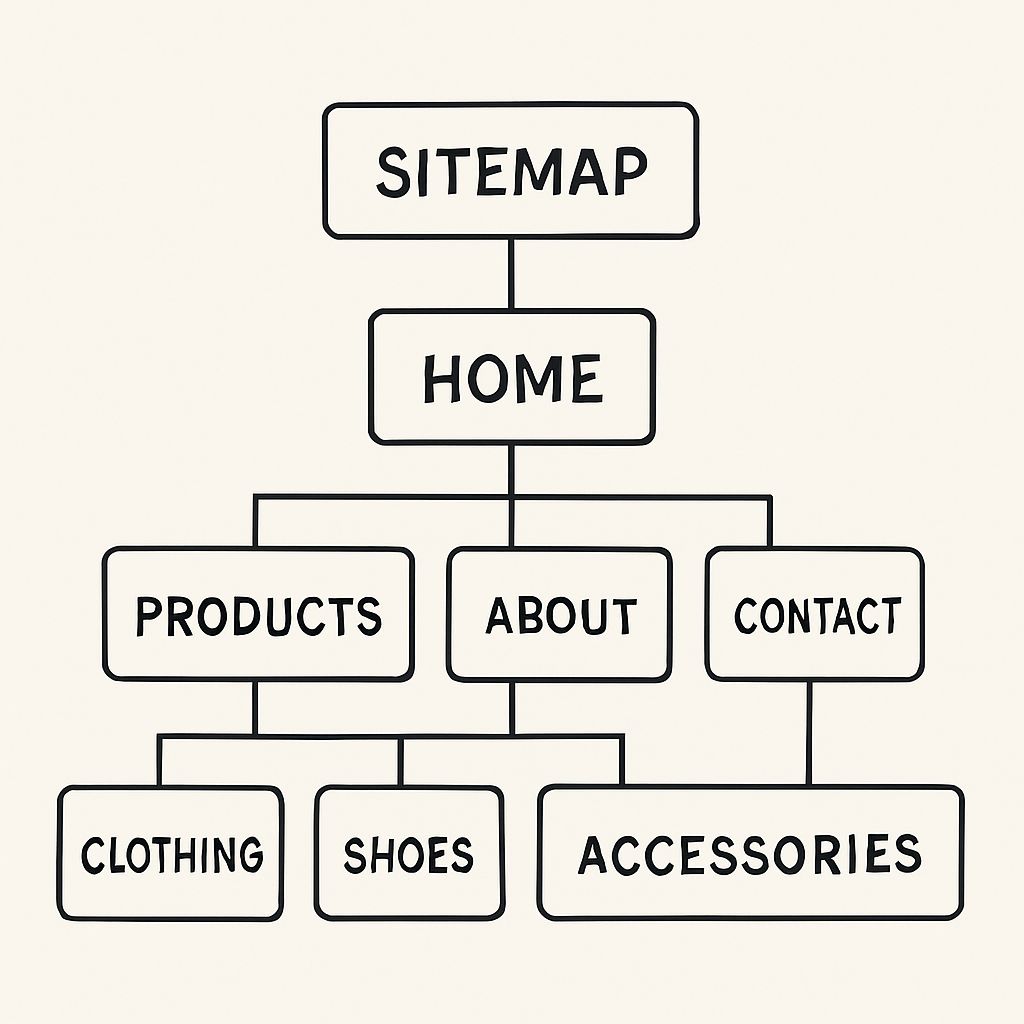
Think of your Shopify store as a well-organized grocery store. Shoppers (and Google bots) should easily find everything. Here’s the ideal layout:
-
Homepage → Collections → Products → Blog/FAQ
-
Use clean and logical menus
-
Create internal links across related products and blogs
-
Avoid deep, confusing navigation paths
Why it matters:
Google ranks pages that it can crawl and understand easily. If your structure is messy, you’re hurting your rankings.
Tip 2: Smart Keyword Research = Easy Wins🔍
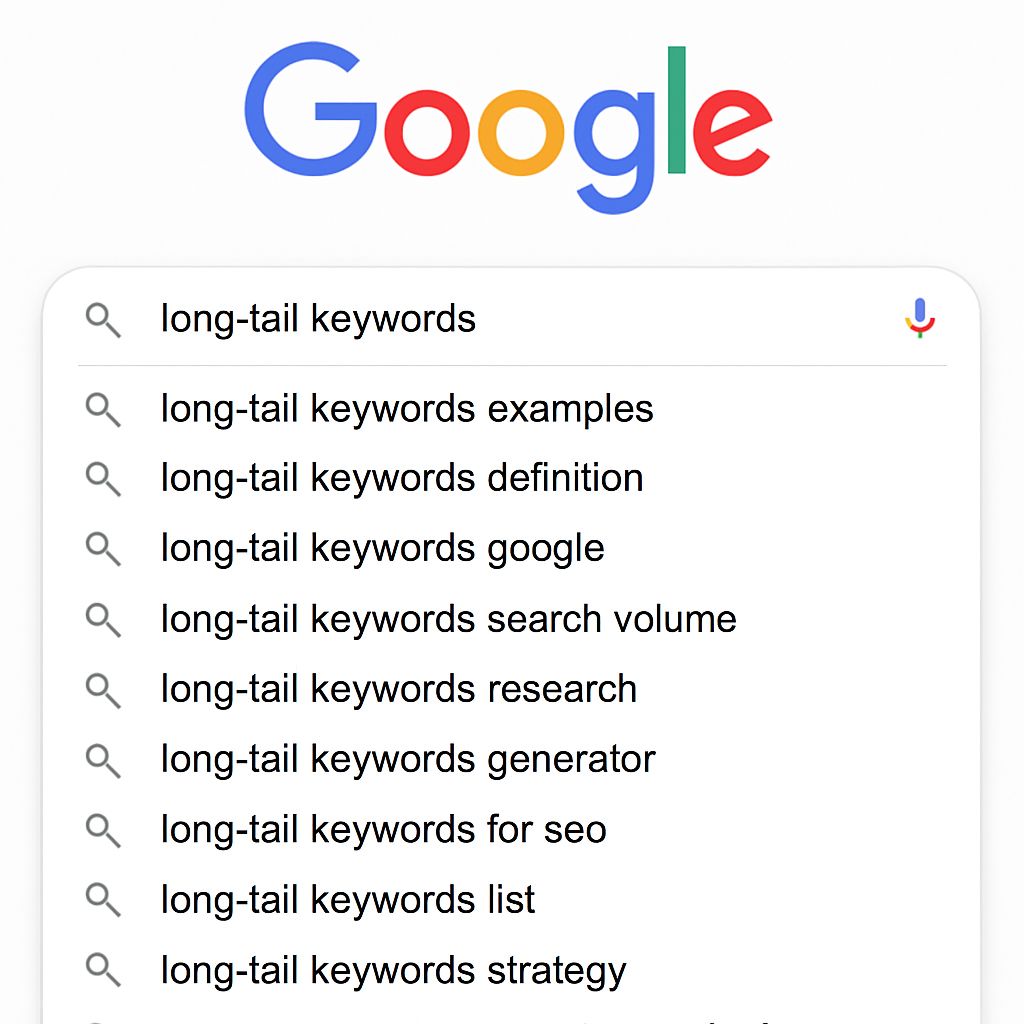
Forget generic terms like “T-shirts.” Use tools like:
-
Google Autocomplete
-
AnswerThePublic
-
Ubersuggest
-
Ahrefs (if you’re serious)
Find long-tail keywords that reflect real searches:
-
“Best cotton T-shirts for summer”
-
“organic baby clothing USA”
Use them in:
-
Page titles
-
Product descriptions
-
Meta descriptions
-
Image alt texts
Tip 3: Title Tags and Meta Descriptions That Sell📅\
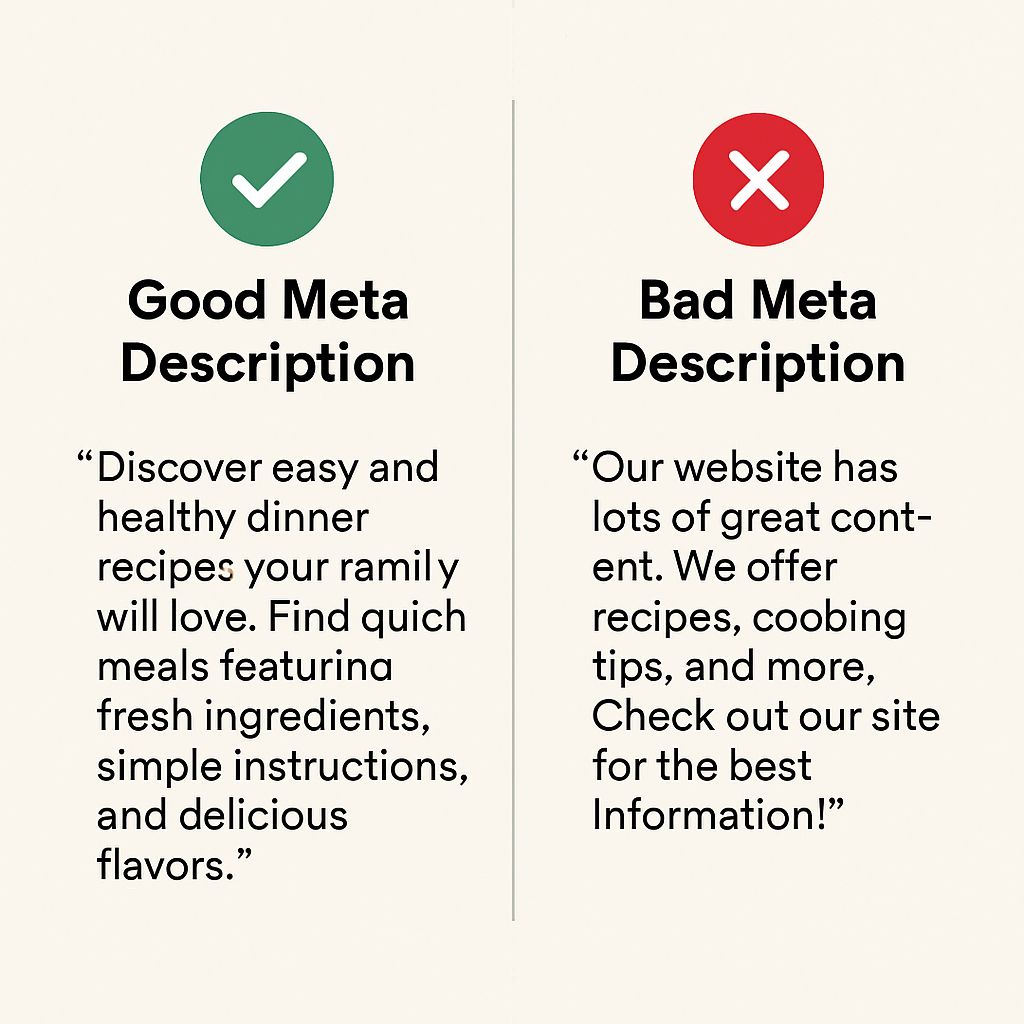
Each page should have:
-
Title tag (<60 characters): Include keyword + brand or benefit
-
Meta description (<160 characters): Make it a mini-ad with a CTA
Example:
Title: “Organic Bamboo T-Shirts | Free Shipping USA”
Meta: “Shop breathable, eco-friendly bamboo T-shirts for all ages. Free shipping over $50.”
Pro Tip: Use power words like “best,” “free,” and “guaranteed.”
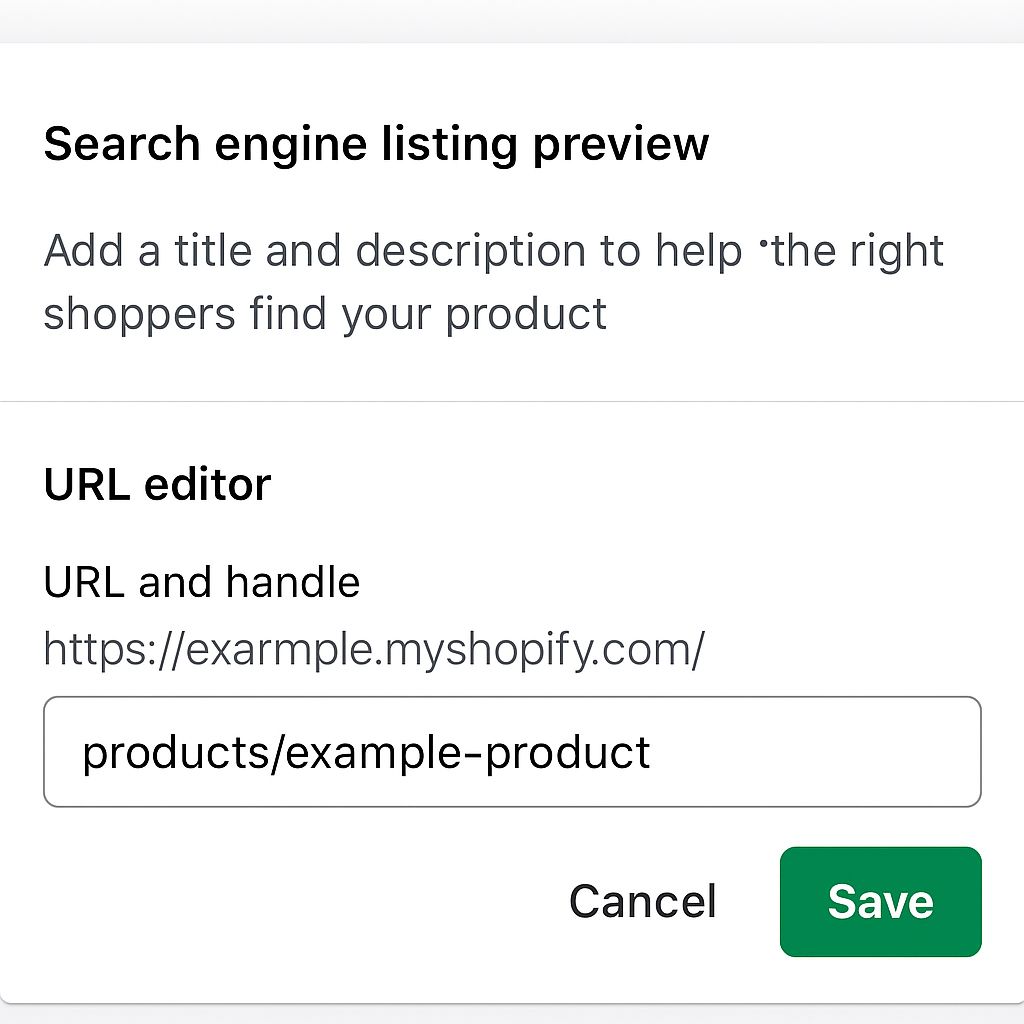
Tip 4: Use SEO-Friendly URLs
Shopify tends to auto-generate messy URLs. Clean them up:
Bad URL: yourstore.com/products/123-bamboo-shirt
Good URL: yourstore.com/products/bamboo-shirt
Keep them short, readable, and include your focus keyword. Change them in the product’s “Edit SEO” section.
Tip 5: Write Original Product Descriptions📄
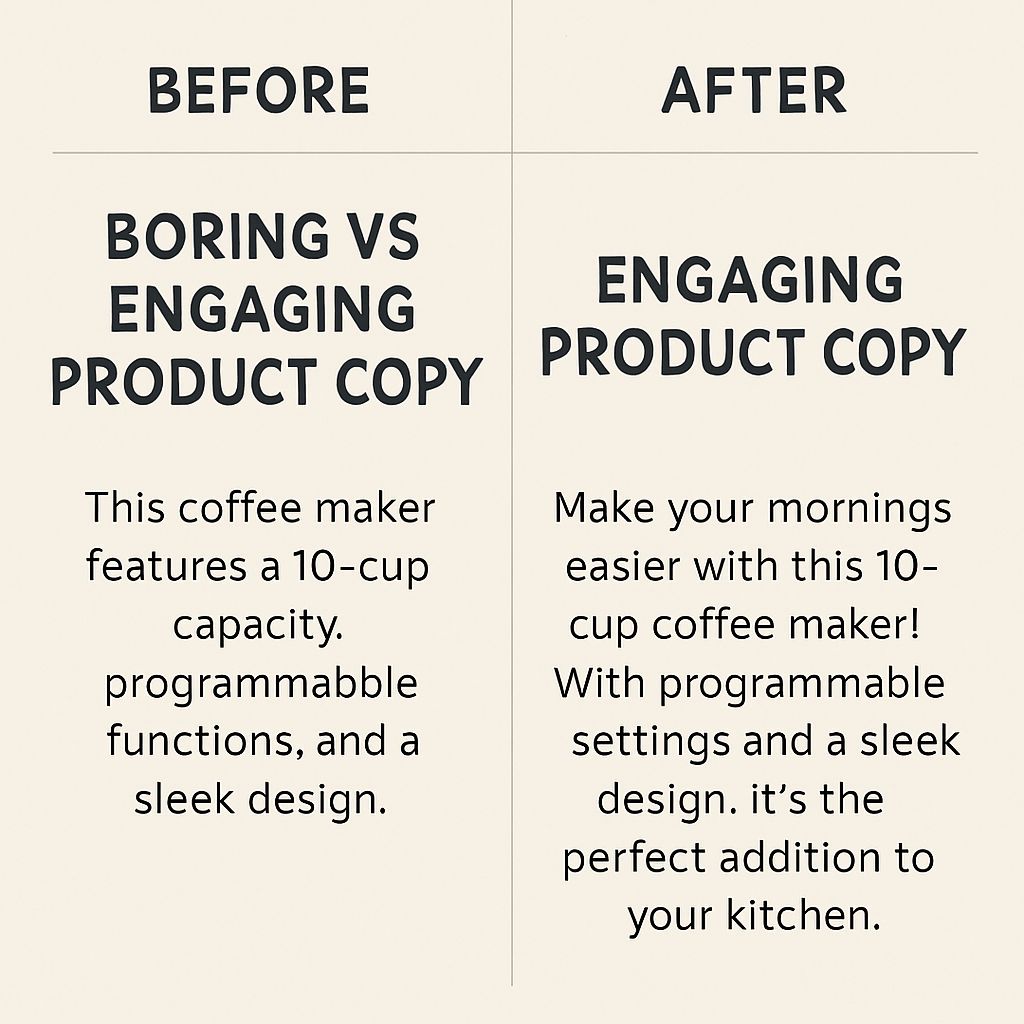
Avoid using supplier copy. Google hates duplicate content. Instead:
-
Describe benefits, not just features
-
Use bullet points for scannability
-
Add emotion or humor to stand out
Example: Instead of “100% cotton, breathable,” say “Stay cool on the hottest days with buttery-soft 100% cotton that your skin will thank you for.”
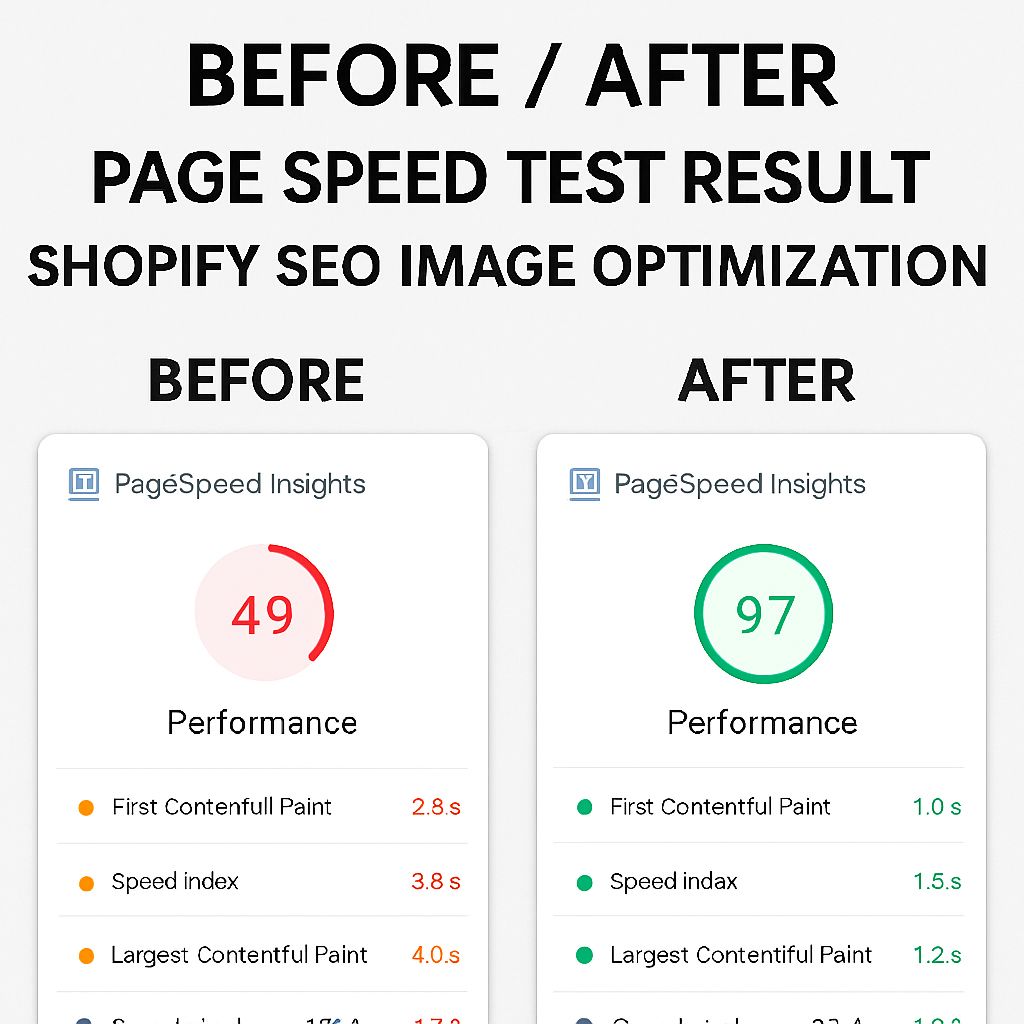
Tip 6: Optimize Images for SEO and Speed📷
-
File names: name them before uploading (e.g., “red-bamboo-shirt.jpg”)
-
ALT text: Describe what the image shows using keywords
-
Compress images using TinyPNG or Squoosh
Bonus: Fast sites get higher rankings.
Tip 7: Boost Your Site Speed⚡
Slow site = fewer sales. Google tracks bounce rates.
Tips:
-
Use lightweight Shopify themes (e.g., Dawn)
-
Compress everything
-
Avoid app overload
-
Enable lazy loading for images
Test your store speed using Google PageSpeed Insights
Tip 8: Start Blogging — It’s Free SEO📚
Your blog is your silent salesman.
Topic ideas:
-
“Top 5 Gifts for Eco-Conscious Friends”
-
“Why Organic Cotton is Worth the Price”
-
“How to Wash Bamboo Fabrics the Right Way”
Write 600–1,000 words. Add value, link to products, and use keywords naturally.
Tip 9: Build Backlinks (But Do It Right)
Backlinks are SEO gold. Start by:
-
Guest posting on niche blogs
-
Submitting to directories
-
Getting featured in gift guides
-
Using HARO (Help A Reporter Out)
Avoid spammy Fiverr backlinks. Focus on quality, not quantity.
Pros and Cons Table📊
| Pros | Cons |
|---|---|
| Increases organic traffic | Takes time to show results |
| Brings qualified, ready-to-buy users | Needs ongoing optimization |
| Improves user experience | The technical setup can be intimidating |
| Free traffic (vs. paid ads) | Competitive in some niches |
30+ Shopify SEO FAQs❓
1. What is Shopify SEO?
Shopify SEO refers to the process of optimizing your Shopify store to rank higher on search engines like Google.
2. Is Shopify SEO-friendly by default?
Partially. Shopify has good basic SEO features, but you still need to manually optimize content, speed, and structure.
3. How do I start SEO for my Shopify store?
Begin with keyword research, optimize product titles, descriptions, and improve your site speed.
4. Does Shopify have SEO plugins?
Yes! Apps like SEO Manager, Smart SEO, and Plug in SEO are popular choices.
5. What’s the most important part of Shopify SEO?
Strong keyword research and optimized on-page content.
6. How do I find the best keywords for Shopify?
Use tools like Google Keyword Planner, Ahrefs, or Ubersuggest to find low-competition, high-intent keywords.
7. Should I write unique product descriptions?
Yes! Always write original descriptions to avoid duplicate content penalties.
8. How long does Shopify SEO take to show results?
It can take 3–6 months, depending on competition and your efforts.
9. Can I rank on Google without blogging?
Yes, but blogging improves your chances and increases keyword opportunities.
10. What are long-tail keywords, and why are they important?
Long-tail keywords are more specific phrases that attract better-targeted traffic.
11. How important are backlinks for Shopify?
Very! Backlinks improve domain authority and search engine trust.
12. Is it okay to edit URLs for SEO?
Yes, but do it carefully and set up 301 redirects to avoid broken links.
13. Should I use keywords in image alt text?
Absolutely. It helps with image search rankings and accessibility.
14. Does Shopify compress images automatically?
No. You should compress images before uploading for faster load times.
15. How can I improve my Shopify store’s speed?
Use lightweight themes, minimize apps, compress images, and use lazy loading.
16. What is schema markup, and do I need it?
Schema helps search engines understand your content. Apps can help add it easily.
17. How do I add meta tags in Shopify?
Edit the SEO section under each product or page to add meta titles and descriptions.
18. What’s the ideal length for product descriptions?
200–400 words with key details, benefits, and keywords.
19. Do free Shopify themes support SEO?
Yes, but premium themes may offer better performance and customization.
20. Is a blog necessary for Shopify SEO?
Not necessary, but highly recommended for traffic and authority.
21. Should I use H1 tags on every page?
Yes. Only one H1 per page, and it should contain your main keyword.
22. Can Shopify SEO help increase conversions?
Yes. Better SEO brings in qualified traffic more likely to convert.
23. Should I use apps for SEO optimization?
They help, but manual SEO work (titles, content, speed) is more powerful.
24. How do I avoid duplicate content on Shopify?
Write unique content, use canonical tags, and avoid copy-pasting from suppliers.
25. What is a canonical URL in Shopify SEO?
A canonical URL tells Google which version of a page is the main one to index.
26. How often should I update my SEO strategy?
Review and adjust your strategy every 2–3 months.
27. Is mobile optimization important for Shopify SEO?
Yes. Google uses mobile-first indexing, so your site must be mobile-friendly.
28. Can reviews help with SEO?
Yes. User-generated content adds freshness and keyword relevance.
29. Should I submit a sitemap to Google?
Yes. Shopify generates one automatically; submit it to Google Search Console.
30. What is Google Search Console, and do I need it?
It’s a free tool by Google that helps monitor site performance and indexing.
31. How do I track Shopify SEO performance?
Use Google Analytics, Google Search Console, and apps like Ahrefs or SEMrush.
32. Can I do Shopify SEO myself?
Yes! With research and practice, most tasks are doable without hiring an expert.
Conclusion: Your Shopify SEO Journey Starts Now📝
Shopify SEO doesn’t have to be scary or technical. Think of it as helping Google and your customer
omers find you more easily.
We covered structure, speed, content, keywords, and backlinks. Now it’s time to act.
Want help optimizing your store? Comment below, or contact the Bhussan.com team.
Stay consistent, keep testing, and watch the rankings grow.