
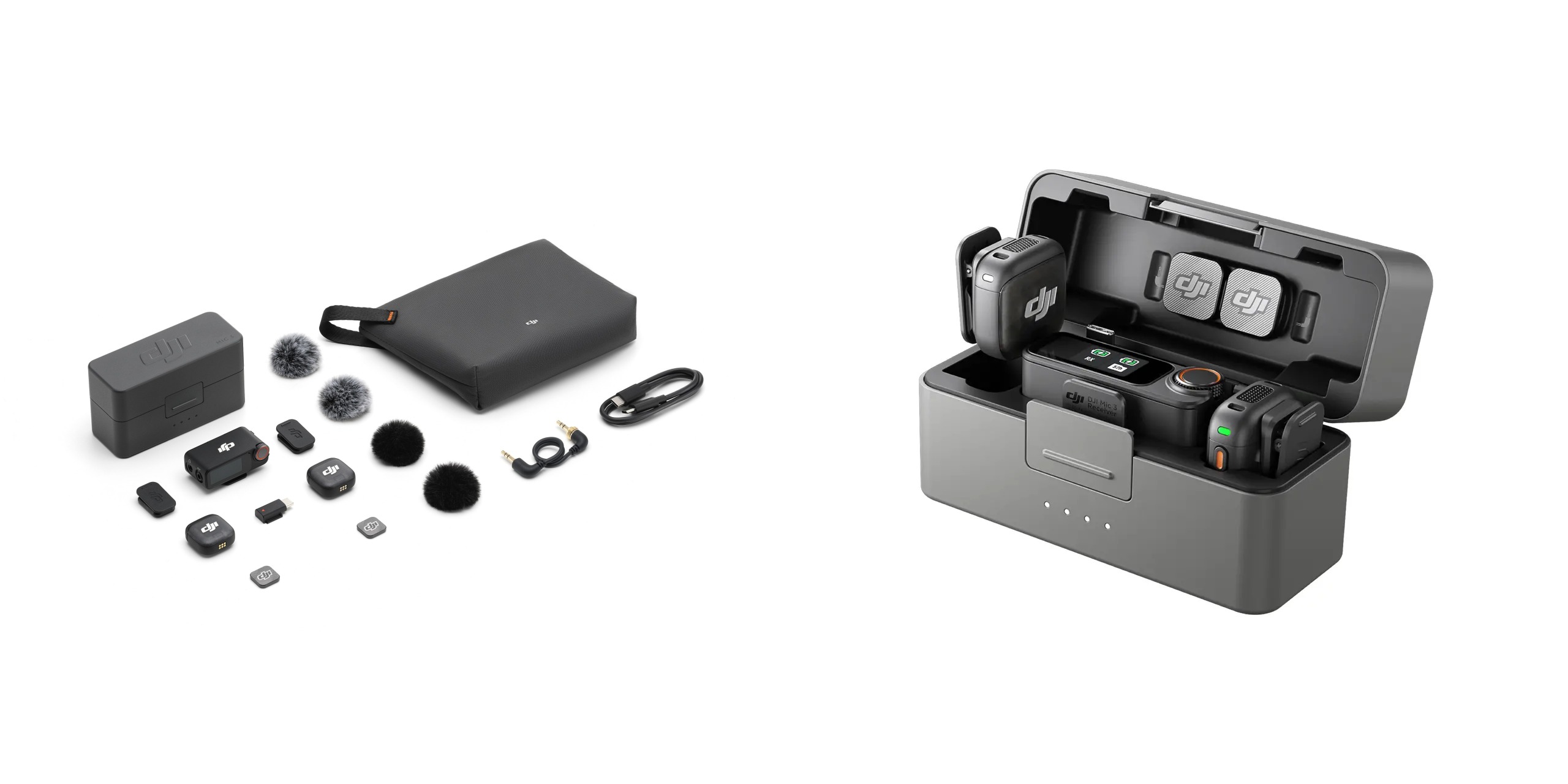
DJI Mic 3: Cramming More Features Into a Smaller Package
🎤 Introduction: The Curiosity Spark
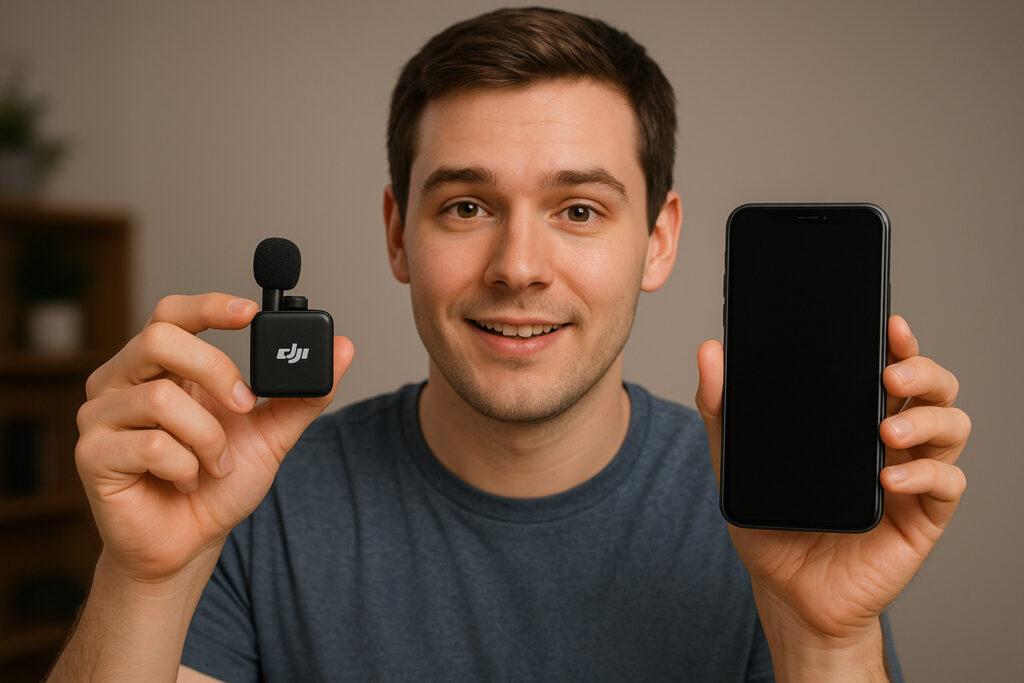
Have you ever wished your microphone could be smaller, smarter, and more powerful—without losing sound quality?
Imagine you’re on a travel vlog, recording in a busy market, or even shooting a podcast outdoors. Wouldn’t you want something tiny enough to carry in your pocket yet strong enough to deliver studio-like clarity?
That’s exactly where the DJI Mic 3 comes in.
After analyzing everything across the internet, reviewing hands-on experiences, and listening to real-world creator feedback, the Bhussan.com team shares this friendly, human-written deep dive into why DJI’s latest wireless mic is making noise (pun intended) in the creator community.
So, is the DJI Mic 3 the wireless mic upgrade you’ve been waiting for? Let’s dig in.
📦 What’s New in DJI Mic 3?
When DJI announced the Mic 3, creators immediately started buzzing: “How much smaller can they make it?” Turns out, quite a lot.
Here’s what stands out:
-
Compact Size: The new case and transmitters are noticeably smaller, making them super pocket-friendly.
-
Extended Battery Life: Up to 18 hours total with the charging case—perfect for full-day shoots.
-
4 GB Built-in Storage: Each transmitter stores hours of backup audio internally (bye-bye recording anxiety).
-
Upgraded Touchscreen Receiver: A brighter, more intuitive touchscreen makes controlling settings easy, even under the sun.
-
Multi-Device Compatibility: Works seamlessly with cameras, smartphones, laptops, and even tablets.
-
Magnetic Clip-On Design: Snap it on your shirt without bulky mounts.
Think about it—just a couple of years ago, creators had to carry heavy shotgun mics or expensive recorders. Now, you literally clip this featherlight mic to your shirt and start recording like a pro.
🎬 Why Creators Love It
So, what makes the DJI Mic 3 more than “just another wireless mic”?
-
For Vloggers: No more ruined takes because of background noise.
-
For Podcasters: Set up two mics and instantly record clean dialogue.
-
For Filmmakers: Lightweight, wireless, and syncs smoothly with cameras.
-
For Journalists: Record interviews quickly on the go with no bulky gear.
Personally, I think one of the biggest wins is the internal recording feature. Ever record the perfect clip only to realize your receiver disconnected? Painful, right? With the DJI Mic 3, that fear is gone—the backup storage keeps recording even if your camera doesn’t.
It’s like having an insurance policy for your audio.
✅ Pros & Cons of DJI Mic 3
| Pros 🚀 | Cons ⚠️ |
|---|---|
| Compact, lightweight design | Premium pricing compared to entry-level mics |
| Up to 18-hour battery life with case | Still limited to 2 transmitters (not 3–4) |
| Onboard backup recording | The case is slightly bulky for ultra-minimalists |
| Magnetic clip system | Wind noise can affect a recording without a windscreen |
| Works across devices (camera, phone, laptop) | Some settings require fiddling with the receiver menu |
🤔 Should You Upgrade from the DJI Mic 2?
Good question. If you’re already using the DJI Mic 2, here’s a quick breakdown:
-
Size: Mic 3 is smaller and lighter.
-
Storage: Mic 3 adds internal backup recording (huge win).
-
Battery: Longer battery life on Mic 3.
-
Interface: Better touchscreen for smoother navigation.
If your Mic 2 still works fine and you’re happy, you may not need to rush. But if you often shoot long-form videos, record in unpredictable environments, or hate carrying backup gear, the Mic 3 is worth the jump.
DJI Mic 2 vs DJI Mic 3: Which One Should You Pick?
| Feature | DJI Mic 2 | DJI Mic 3 | What It Means for You |
|---|---|---|---|
| Size & Weight | Heavier transmitters (~28 g) | Super light (~16 g) | Mic 3 is tiny and almost unnoticeable on your shirt—perfect for on-the-go shooting. |
| Internal Storage | 8 GB | 32 GB | Mic 3 can store hours of backup audio. No more “oops, I lost that clip.” |
| Timecode | ❌ Not available | ✅ Built-in timecode | Syncing multi-camera shoots is now effortless with Mic 3. |
| Adaptive Gain Control | ❌ Not available | ✅ Auto & Dynamic modes | Automatically balances your audio. Great if someone suddenly shouts nearby. |
| Voice Tone Presets | ❌ None | ✅ Regular, Rich, Bright | Choose your tone without messing with post-production EQ. |
| Noise Cancellation | Basic | Two levels | Mic 3 cuts more background noise—ideal for busy streets or windy days. |
| Multi-Cam Support | Up to 2 transmitters | Up to 4 TX + 8 RX | Shoot group interviews or multi-camera content like a pro. |
| Wireless Range | ~250 m | ~400 m | Mic 3 gives you more freedom to move around without losing signal. |
| Battery Life | TX & RX ~6 h each; total ~18 h with case | TX 8 h, RX 10 h; total 28 h with case | Longer shoots without worrying about recharging. |
| Receiver Display | Basic, no touchscreen | Touchscreen, brighter & intuitive | Easier control of settings, even in sunlight. |
| 3.5 mm Input | ✅ Yes, plug your own lav | ❌ Removed | Mic 3 is sleeker, but you can’t attach external lav mics anymore. |
| Price (1TX + RX Kit) | ~$219 | ~$99 | Mic 3 is more affordable for new users; Mic 2 might feel dated unless you already own it. |
✅ Summary:
-
Mic 2 = Lightweight, compact, easy for casual vlogging and quick setups.
-
Mic 3 = More advanced, better suited for professional creators who need more control, storage, and reliability.
🙋 FAQs About DJI Mic 3
Here’s a comprehensive list of 30+ FAQs (because, if you’re like me, you’ll have tons of questions before making a purchase).
-
What is the DJI Mic 3?
A compact wireless microphone system for creators, vloggers, podcasters, and filmmakers. -
How many transmitters come with the DJI Mic 3?
It includes two transmitters and one receiver. -
What’s the battery life of the DJI Mic 3?
Up to 18 hours with the charging case. -
Does the DJI Mic 3 work with iPhones?
Yes, it supports iPhones via Lightning and USB-C adapters. -
Can I use it with Android devices?
Absolutely, Android phones with USB-C are supported. -
Is it compatible with cameras?
Yes, it works with DSLRs, mirrorless cameras, and even action cams. -
Does it have a backup recording?
Yes, each transmitter has 4 GB of storage for internal backup. -
How much backup recording can it store?
Roughly 14 hours of audio per transmitter. -
Can I use the DJI Mic 3 for live streaming?
Yes, it connects to laptops and streaming setups. -
Is the sound quality professional-grade?
Yes, it delivers clean, crisp, broadcast-level audio.
🎯 Conclusion: Is the DJI Mic 3 Worth It?
At the end of the day, the DJI Mic 3 isn’t just a gadget—it’s a productivity tool for anyone serious about audio. Whether you’re vlogging in Bali, recording a wedding speech, or just starting a podcast, it simplifies your workflow and ensures you sound professional every single time.
Sure, it’s not the cheapest option out there, but think of it this way: how many takes have you lost to bad audio before? If the answer is “too many,” then the Mic 3 pays for itself.
👉 My advice: If you want lightweight, reliable, and pro-level audio, the DJI Mic 3 deserves a place in your gear bag.