
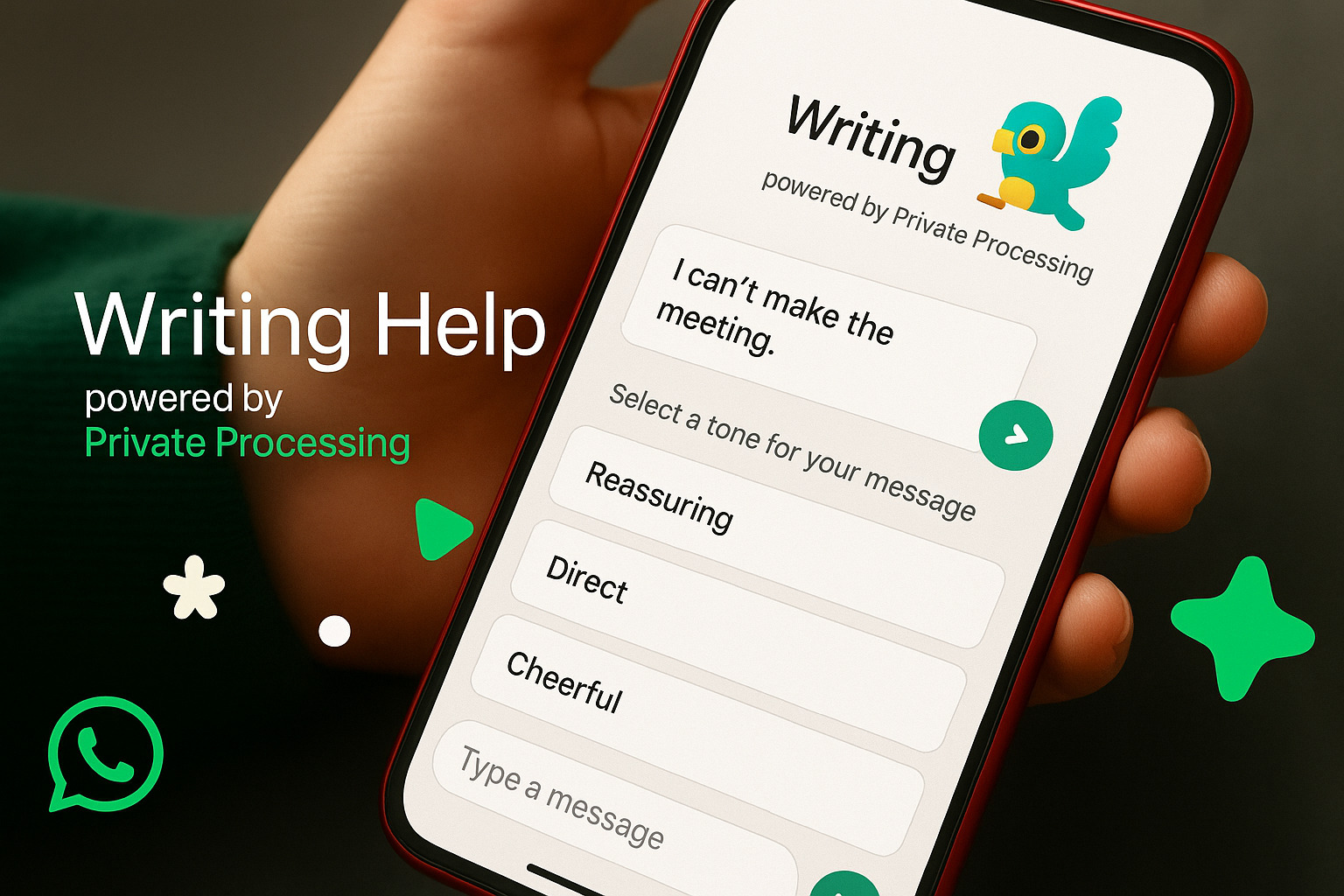
WhatsApp’s New “Writing Help” – A Deep Dive into How It Changes the Way We Chat
Introduction – A Question to Start With 🤔
WhatsApp Writing Help is the latest AI-powered feature inside WhatsApp, designed to polish your chats, refine your tone, and make everyday conversations smoother. Have you ever typed out a message, paused, and thought, “Does this sound too formal? Too blunt? Or maybe not clear enough?” That’s exactly the problem WhatsApp wants to solve with this new tool. After analyzing information from across the internet and gathering real-world insights, the Bhussan.com team shares this friendly, helpful article to help you understand how it works, why it matters, and how you can use it in your daily life.
What is WhatsApp Writing Help? 📱
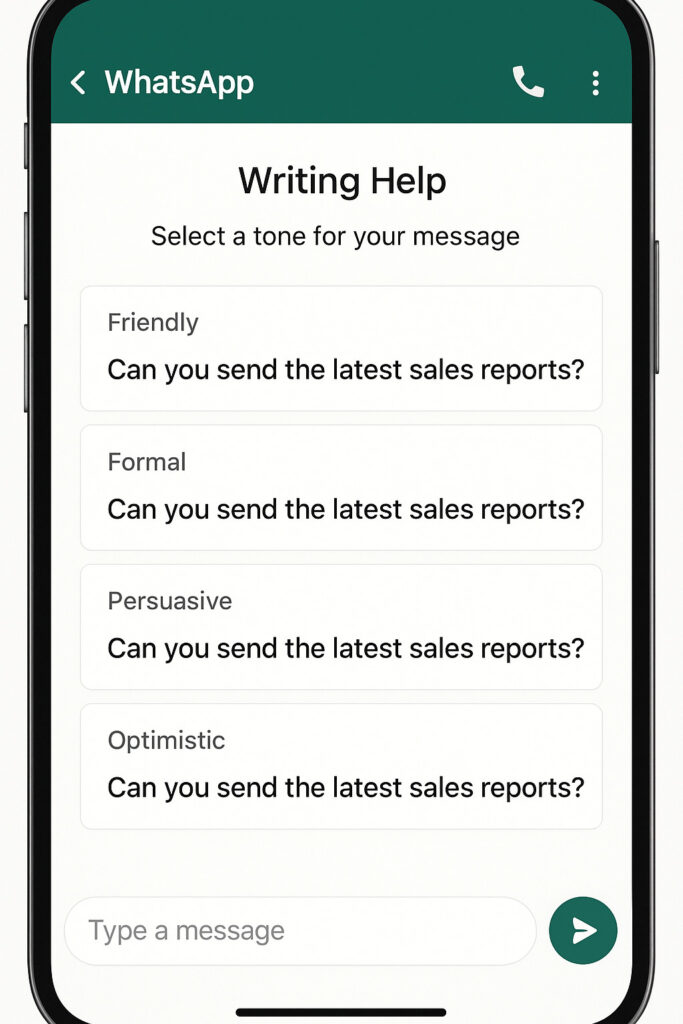
WhatsApp’s Writing Help is an AI-driven in-app feature that takes the words you type and gives you polished suggestions. Think of it as Grammarly—but for WhatsApp—tailored to everyday texting. Instead of just fixing typos, it helps you:
-
Reframe your message tone (formal, casual, concise, or friendly).
-
Avoid accidental rudeness in professional or family groups.
-
Write clearer, more effective messages that don’t get misunderstood.
The feature was first announced in 2025 and is currently rolling out in English across the U.S. and select regions. WhatsApp plans to expand it globally soon, just like it did with other AI features (like sticker generation).
How Does Writing Help Actually Work? ⚙️
Imagine you’ve typed: “Send me the files.” Straightforward? Yes. Polite? Maybe not. With Writing Help, you:
-
Type your message (minimum 4 words).
-
Tap the little pencil icon that appears.
-
Choose a tone style (e.g., polite, professional, casual).
-
WhatsApp instantly shows you refined suggestions.
Example: “Send me the files” → AI suggestions:
-
Polite: “Could you please share the files when you get a chance?”
-
Professional: “Please send me the files at your earliest convenience.”
-
Casual: “Hey, mind sending me the files?”
This subtle difference can make or break how your message is received. And that’s the beauty of it: you’re still in control, but with better options.
Privacy & Security – Can WhatsApp Read My Drafts? 🔒
This is probably the biggest question you have: “If AI is rewriting my messages, is WhatsApp reading them?” The short answer: No, WhatsApp still cannot read your messages. Here’s why:
-
WhatsApp uses Private Processing technology (trusted execution environments on your phone’s processor).
-
Your drafts are encrypted end-to-end—even while being processed.
-
Data is processed statelessly (no storage, no logs kept).
-
Independent audits from NCC Group and Trail of Bits confirmed the security model.
So, in theory and practice, your messages remain private. WhatsApp doesn’t store or analyze them for ads.
Why Does This Feature Matter? 🌍
Think about how much of our life now happens on WhatsApp:
-
Work communication 🏢
-
Family groups 👨👩👧👦
-
Friends & casual chats 🎉
-
Even customer service for small businesses 📊
In all these contexts, tone matters. A poorly worded message can:
-
Hurt someone unintentionally.
-
Sounds too bossy or unprofessional.
-
This led to awkward clarifications.
With Writing Help, you can:
-
Avoid misunderstandings.
-
Express yourself better in sensitive conversations.
-
Save time thinking about phrasing.
It’s like carrying a mini communication coach in your pocket.
Pros and Cons of WhatsApp Writing Help ⚖️
| Pros ✅ | Cons ❌ |
|---|---|
| Makes messages clearer and friendlier | Currently only in English |
| Multiple tone options | May feel slow for quick chats |
| No extra app needed | Still rolling out (not global yet) |
| Privacy-protected | Some users may find it unnecessary |
Real-World Examples ✨
-
Workplace: Instead of writing “Need report by 5”, Writing Help suggests: “Please share the report by 5 PM today.” – More professional.
-
Family: Instead of “Stop sending forwards”, Writing Help suggests: “Hey, could you please avoid sharing too many forwards?” – Softer tone.
-
Friends: Instead of “I can’t come”, Writing Help suggests: “Sorry, I won’t be able to make it this time.” – Friendlier.
Conclusion 🎯
WhatsApp Writing Help is more than just a shiny AI feature—it’s a practical tool that helps us communicate with clarity, kindness, and confidence. Whether you’re writing to your boss, checking in on family, or cracking jokes with friends, a little tone adjustment can make all the difference.
So, will this become your everyday texting companion? Probably yes. Because in a world where digital words carry weight, choosing them wisely isn’t just nice—it’s necessary.
👉 Over to you: Would you trust WhatsApp’s AI to tweak your tone, or do you prefer keeping it raw and real?
FAQs:
Q1. What is WhatsApp Writing Help?
A: It’s an in-app AI feature that helps refine and rewrite your messages into better tones.
Q2. Is it free to use?
A: Yes, it’s completely free.
Q3. Does it work in group chats?
A: Yes, you can use it in both individual and group chats.
Q4. Can I turn it off?
A: Yes, it’s optional—you only use it when you tap the pencil icon.
Q5. What languages does it support?
A: Currently English, with more coming soon.